Draft
This is an ongoing draft page that I’m updating as I’m exploring Linux. Things will update, be added, removed, etc.
Intro
This page is in a similar style to Switching to Linux (2025), the main goal here is to document this year’s thoughts and progress when trying to use Linux as my main OS.
This is a very informal note thing. I’m mainly documenting this for my own reference, but it may be useful for others who may be trying something similar
For context, there’s a few things that I do regularly on my PC:
- Basic stuff: web browsing, listening to music, watching YouTube, etc. — No problem on (almost) any modern OS
- Gaming — Thanks to Valve and everyone else contributing to Proton and the like, this has mostly worked on Linux for years, with a few small exceptions — mainly due to anticheat.
- VR — This is a big one, I hop on VRChat several times a week, often everyday. I also play other VR stuff from time to time. This has been a major challenge for my last attempt, but it’s also one of the most important.
- Other / creativity / productivity — Things like Unity / Blender for VRC world / avatar creation, Godot editor for occasional game dev, Adobe software, etc. — This one’s a mixed bag: some things work quite well but others don’t really work at all. This is another major section I’ll be exploring this time.
- Utility / things that fit my setup (?) — not sure how to name this, but this includes things like video recording software, audio processing software, and other utiltiies. Things that tend to use a lot of Windows-specific stuff that may or may not work on Linux. Examples include Medal.tv, Voicemod, ShareX, etc.
- Hardware compatibility / software — Stuff that makes things I plug in work. A lot of this is solved via open-source alternative software, much of which I’ve already mentioned last year. I mean thing like software/drivers for the Stream Deck, Logitech mice, PC fan controls, racing wheels, DJ controllers, MIDI controllers… etc.
OS of choice…
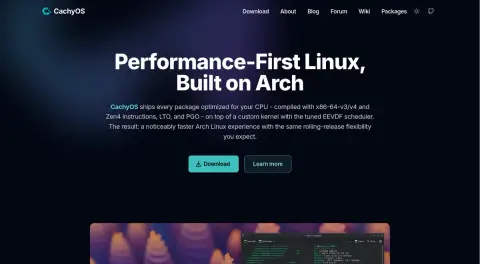
CachyOS.

That’s it.
Last time I weighed my options a bit more, ultimately going with Manjaro. In 2026, CachyOs seems to be the go-to popular Linux distro, especially in the gaming community. And it was a pretty easy choice for myself too. I’ve used Manjaro before so I’m already somewhat familiar with Arch. Cachy also comes with a lot of gaming and Windows-compatibly things included, like Nvidia drivers and patches, gaming utilities, its own version of Proton… Even comes with a Winboat installer. Only one thing I didn’t really like about Cachy is that it comes with the
fish shell instead of bash. I can just use bash but I’m trying to get used to fish to see if it’s any better.
I just picked the popular option which sounded good enough for me and went along with it. At the end of the day, with Linux, you just gotta pick one. You can always customise it to your liking earlier.
Wait… I’ve been here before.
So even though I’m writing this in November, this is actually my second or third(?) time trying Linux this year. I briefly noted this on my posts from 06-29 and 08-03. My first few attempts actually didn’t go all that well. On 08-03, I described getting very weird performance issues, which ultimately ended up putting me off from continuing Linux for the time. My desktop was incredibly slow, the app launcher sometimes took like 10 seconds to open, things would freeze randomly, it was horrible.
I finally had the motivation to try again and after some troubleshooting, I’m pretty sure I figured out what it was: my SSD. Even though the regular disk checks showed it as healthy with no issues, it is quite an old SSD and apparently kinda bad. I spent yesterday (the 10th) wiping the 1.4TB games partition that I have on one of my NVME SSDs, and moving my entire CachyOS partition to that drive. It took a while but it’s been running perfectly well since I did this. It’s very fast now.
This was the issue that was preventing me from continuing this earlier, and now that it’s fixed, I have a pretty good feeling that I’ll manage to stick to Cachy for longer this time. Will I go back to Windows? Who knows, maybe. I still have Windows as a dualboot (ever since I first set this all up all those months ago). I’ll need to keep it for certain games that don’t like to work on Linux due to anticheat, but other than that, I think I can manage to use most things on Linux. Only time will tell whether I have a good reason to fully switch back.
VR Resources
This is probably the most useful resource for VR on linux:  VR on Linux
What worked with my setup:
 Linux VR Adventures WikiMonado
 Linux VR Adventures WikiEnvision
 Linux VR Adventures WikiWayVR
 Linux VR Adventures WikiBigscreen Beyond
Software
I am also making a new resource note to compile a bunch of resources and software: Linux Software and Resources
Things that work
ShareX
I was surprised to find that ShareX has a working (although buggy) Linux build now. This wasn’t a thing when I tried it last time (Switching to Linux 2025)
It’s listed on ShareXArtifacts - ShareX
There’s also a vibecoded ShareX alternative by the same devs: XerahS - Free and open source screen capture, file sharing and productivity tool — Although I got not clue why you’d use that.
Cachy comes with Spectacle which is fine for just screen clipping, but ShareX has some extra utilities like better annotation, a specific folder layout I’ve used for years, automatic uploads, etc. etc.
Things I’m looking into
Medal.tv
Mainly for some kind of continuous game recorder that works easily with non-steam and VR games. Steam’s built in recorder is OK, but there’s some extra features I’d like:
- VR Game recording (window capture is fine)
- Non-steam game recording (adding custom windows)
- Basic built-in editor
- Voice-activated clipping (low priority, I rarely use this)
I don’t care about it being Medal specifically, in fact I really don’t like Medal with how bloated and ad-ridden it is, but it’s the best software I’ve found for this purpose on Windows. I’ll need to look for some nice open alternatives.
Potential alternatives:
 Segra (
 GitHub Repo ) — Open-source Medal alternative with experimental Linux flatpak support.
- Although full-screen clipping worked when I tested it, I could not quite get game detection to work, although I may try it again.
 Vice — Open-source clipper for Linux
- The AUR version for this one failed to build for me so I may need to revisit it.
Voicemod
This one I do kind of want. Voicemod v3 is kinda awful, but they make it more difficult over time to install v2. It’s just an easy way to process and monitor my mic input. I rarely ever even use the voice changer (other than clean profile) or soundboard, I just want a decent preset that works out of the box with minimal tweaking. I’m using Easyeffects for now, which is fine, though not perfect and seems to have weird performance sometimes.
Problems and Fixes
Incorrect resolution in steam proton) games (and low FPS)
I have a secondary monitor at 145% scaling which for some reason make games render at a higher-than-native resolution on my main. Running them through gamescope fixed that:
gamescope -w {width} -h {height} -r {refresh rate} -f -- %command%
example for my setup:
gamescope -w 2560 -h 1440 -r 144 -f -- %command%
Just add this to the game’s launch options on steam. This kinda just forces the game to render with those settings. It’s mostly something designed for the Steam Deck but it helps on Linux PCs too!
There’s also  ScopeBuddy which should make this setup easier across multiple games, but I need to try it still.
I was having poor framerates when testing The Finals earlier but just running it through gamescope fixed it soo… I guess it works!